Speed Master
Remembers a playback speed for every creator on YouTube, TikTok and Facebook, and applies your preferred YouTube quality.
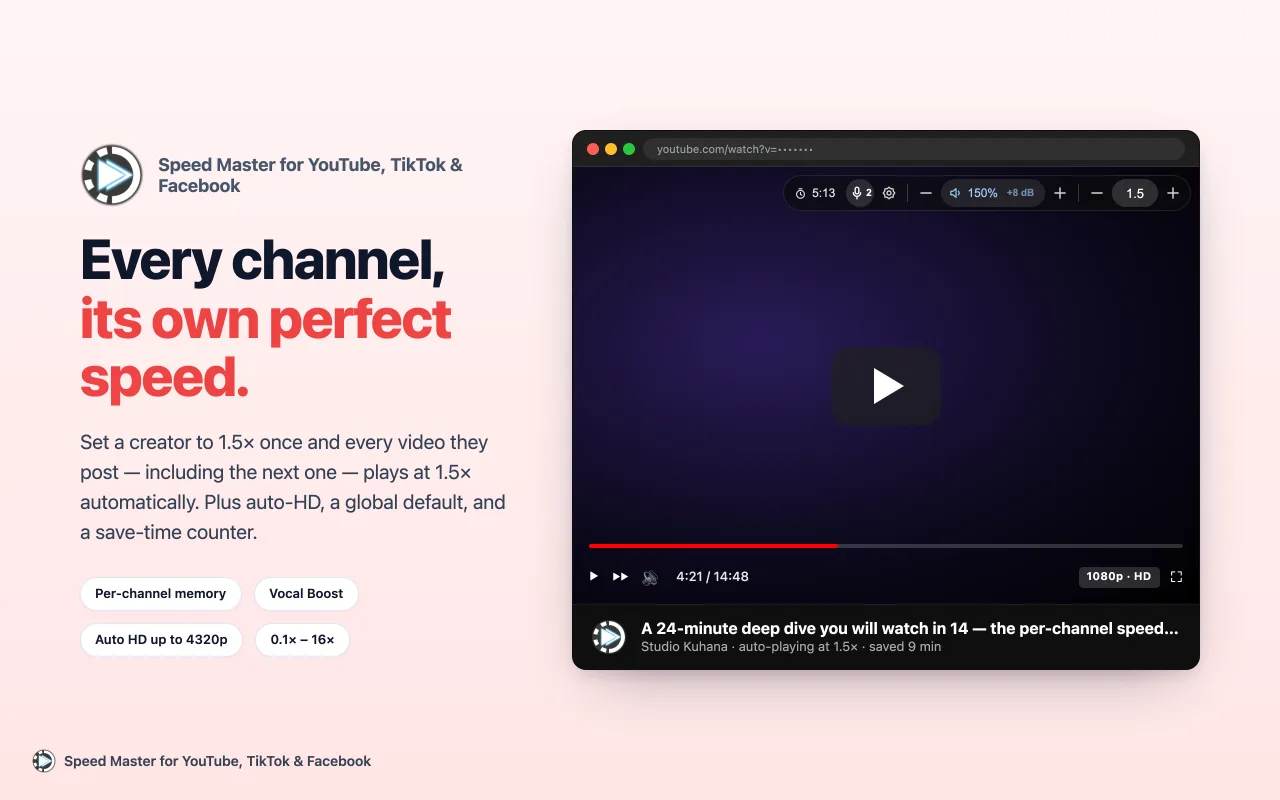
Set a creator to 1.5× once and every video they post plays at 1.5× from then on, including the ones you haven’t seen yet. Creators you’ve never watched use your default speed, anywhere from 0.1× to 16×.
In the player
A small capsule in the corner of the player shows the current speed and the time you’ve saved. Point at it and it unfolds into Vocal Boost, settings, volume and speed controls. Click the speed to type an exact value, or double-click it to reset to 1×. It works on YouTube watch pages, Shorts and m.youtube.com, and on TikTok and Facebook videos in the feed, Watch and Reels.
Press ] to speed up and [ to slow down on all three sites, and \ to cycle Vocal Boost on YouTube and Facebook.
Features
- Auto HD (YouTube): selects your preferred resolution, from 144p to 4320p, on every video, and again when YouTube lowers it mid-video
- Shorts speed (YouTube): an optional single speed for every Short, kept apart from the creator’s speed for their long videos
- Vocal Boost (YouTube, Facebook): three levels that bring speech forward and cut bass and treble; the top level is for voice-only listening
- Per-creator volume: from silent to 400% for each creator. Up to 100% works everywhere, louder works on YouTube and Facebook, and one switch turns volume handling off completely
- Volume normalization (YouTube, Facebook): YouTube turns loud videos down but never turns quiet ones up; this adds up to +12 dB so every video starts at the same loudness. Off by default
- Background play (TikTok): keeps a TikTok video playing when you switch to another tab
- Time saved: a running total for the current video in the player, and a lifetime total in the popup
- Backup and restore: export every creator’s speed and volume and all your settings to a file, and import them in another browser
- Settings sync across browsers signed in to the same Google account
- Interface in 16 languages
Privacy
No tracking, analytics, accounts or remote code, and the extension makes no network requests. Everything is stored in your browser’s own extension storage.
Support
Found a problem or have an idea? Report it with this form. Include your browser version and what you expected to happen.